Seized: Event Log & Tracker
Track Seizures. Log Fast.
A fast, discreet seizure-logging tool built for the moments right after a seizure, when every second and detail matters. Log from your wrist, your phone, or your tablet in just a few taps.
Features
One-screen logging
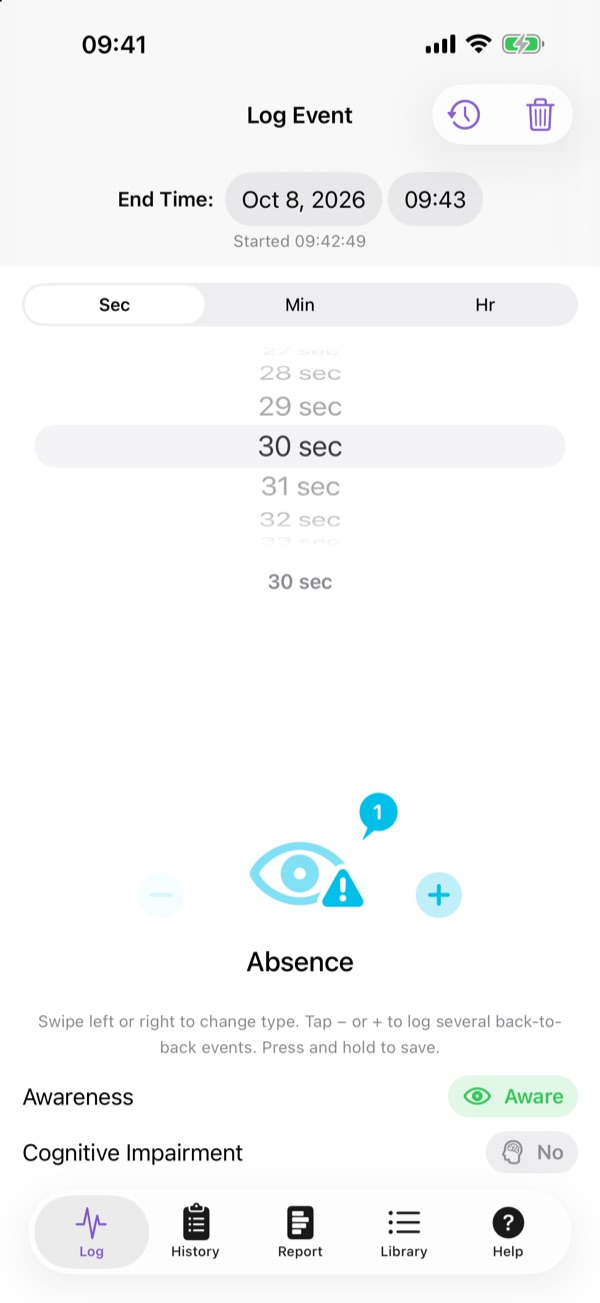
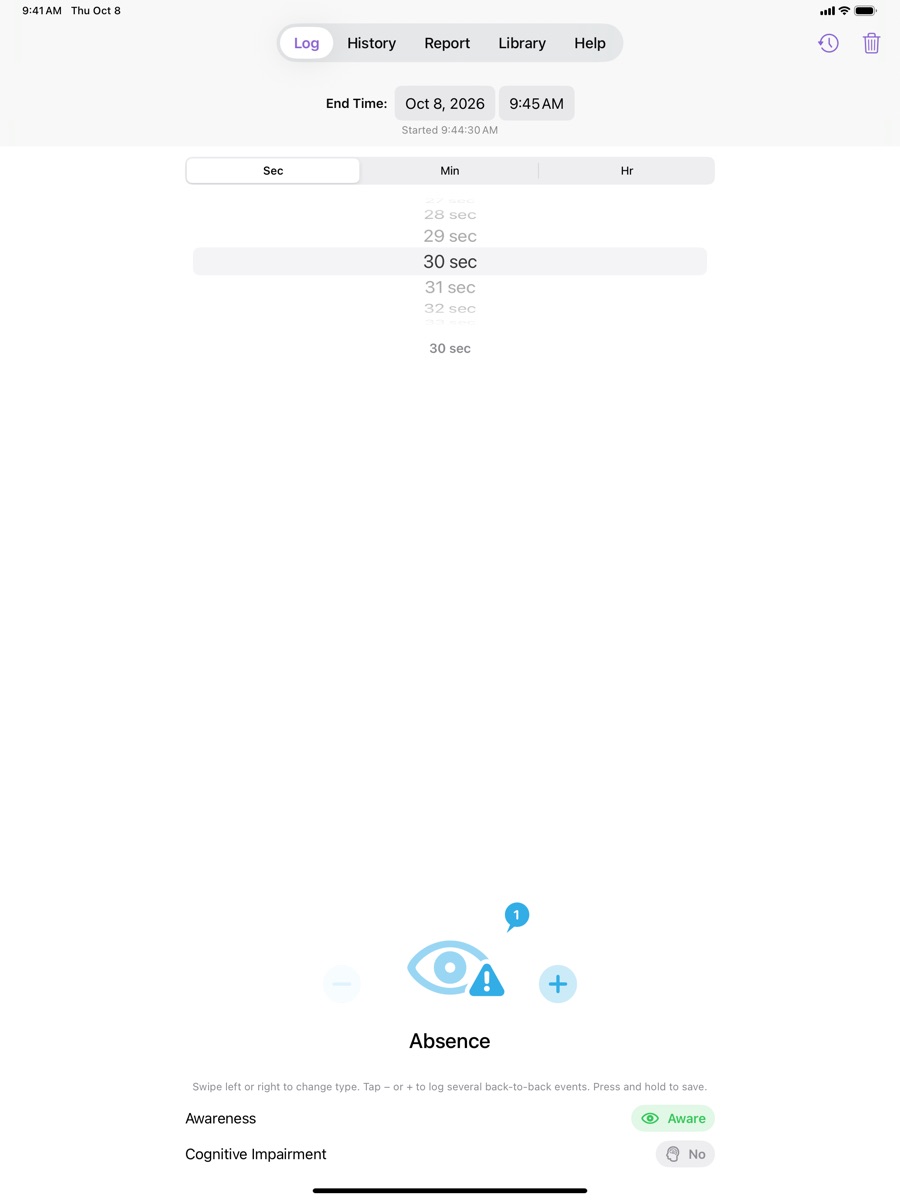
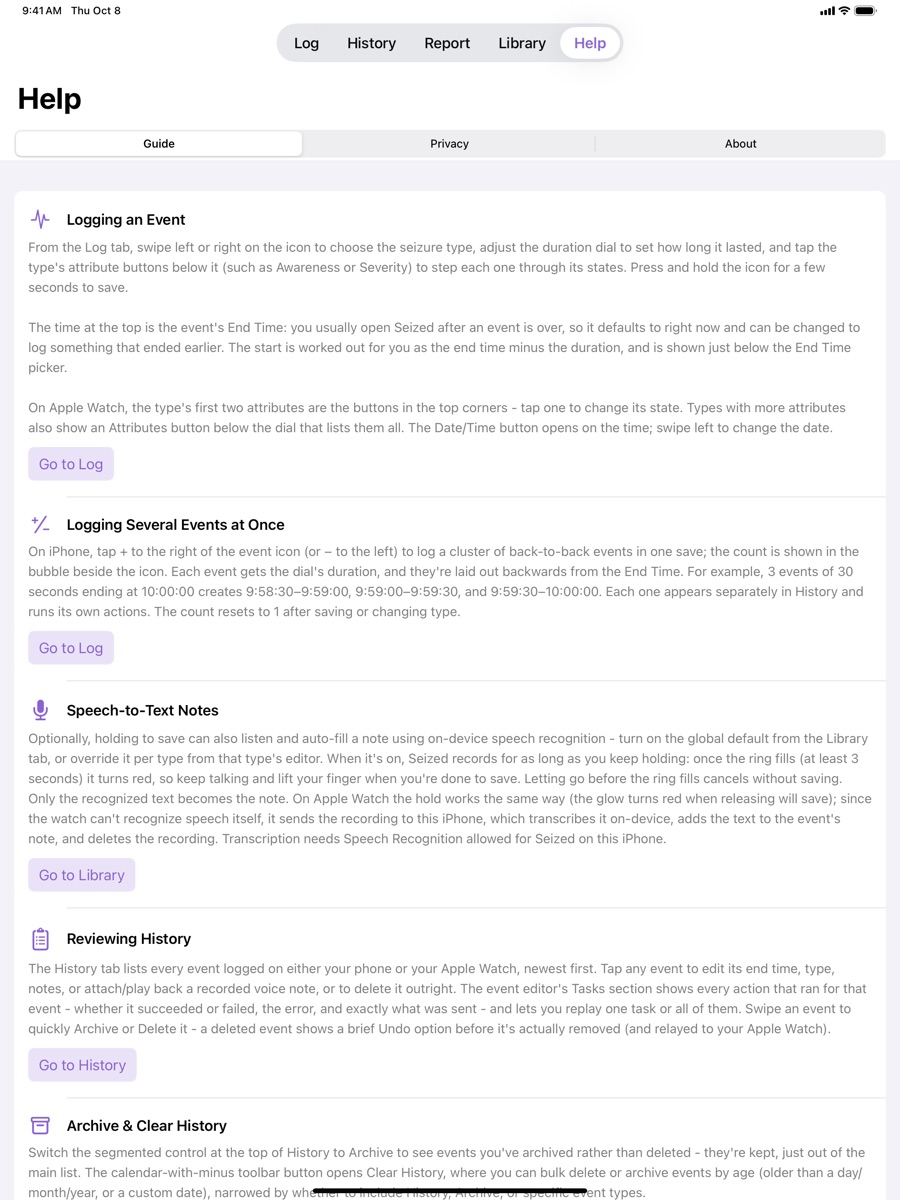
Everything fits on a single screen: pick the type, set the duration, tap the details, and hold to save.
Swipe to choose a type
Absence, Myoclonic, Clonic, Atonic, Tonic, Tonic-Clonic, Migraine, Tourette's, and more, or create your own.
Hold-to-save
A deliberate multi-second press prevents accidental or mistaken entries.
Duration dial
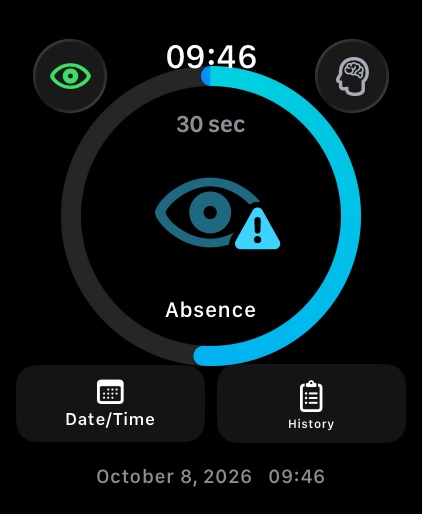
Turn the Digital Crown on Apple Watch, or use the wheel on iPhone and iPad, to set seconds, minutes, or hours.
Custom attributes
Record awareness, cognitive impairment, severity, and your own attributes with one tap each.
History & reports
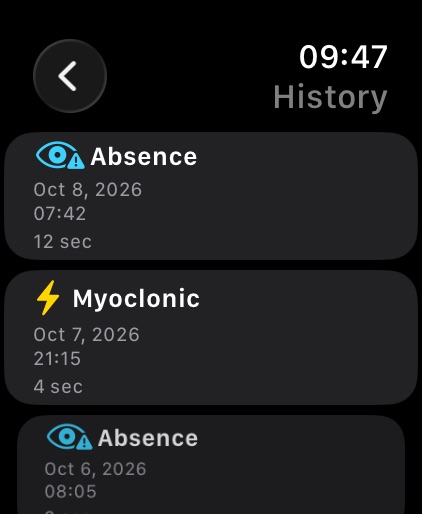
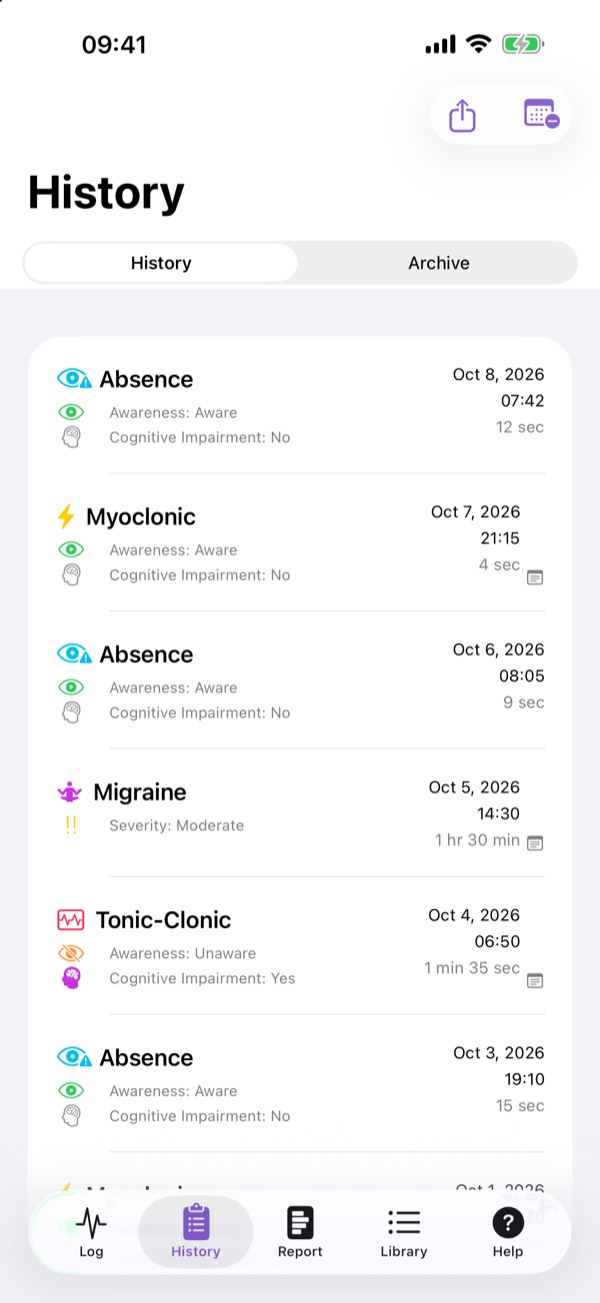
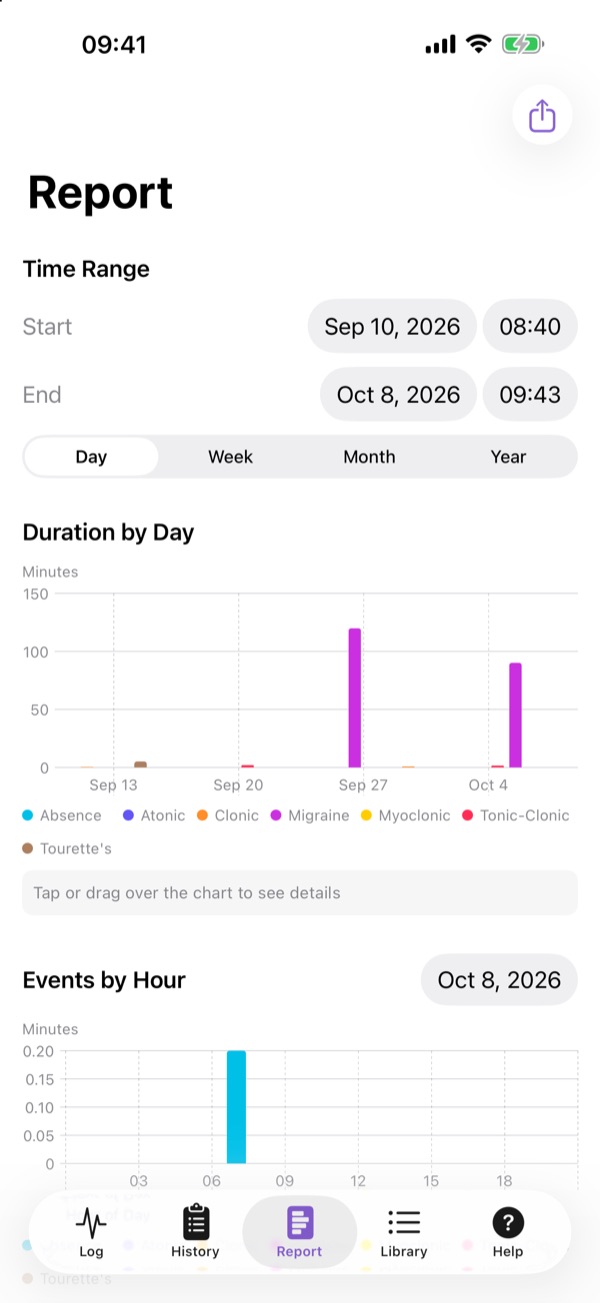
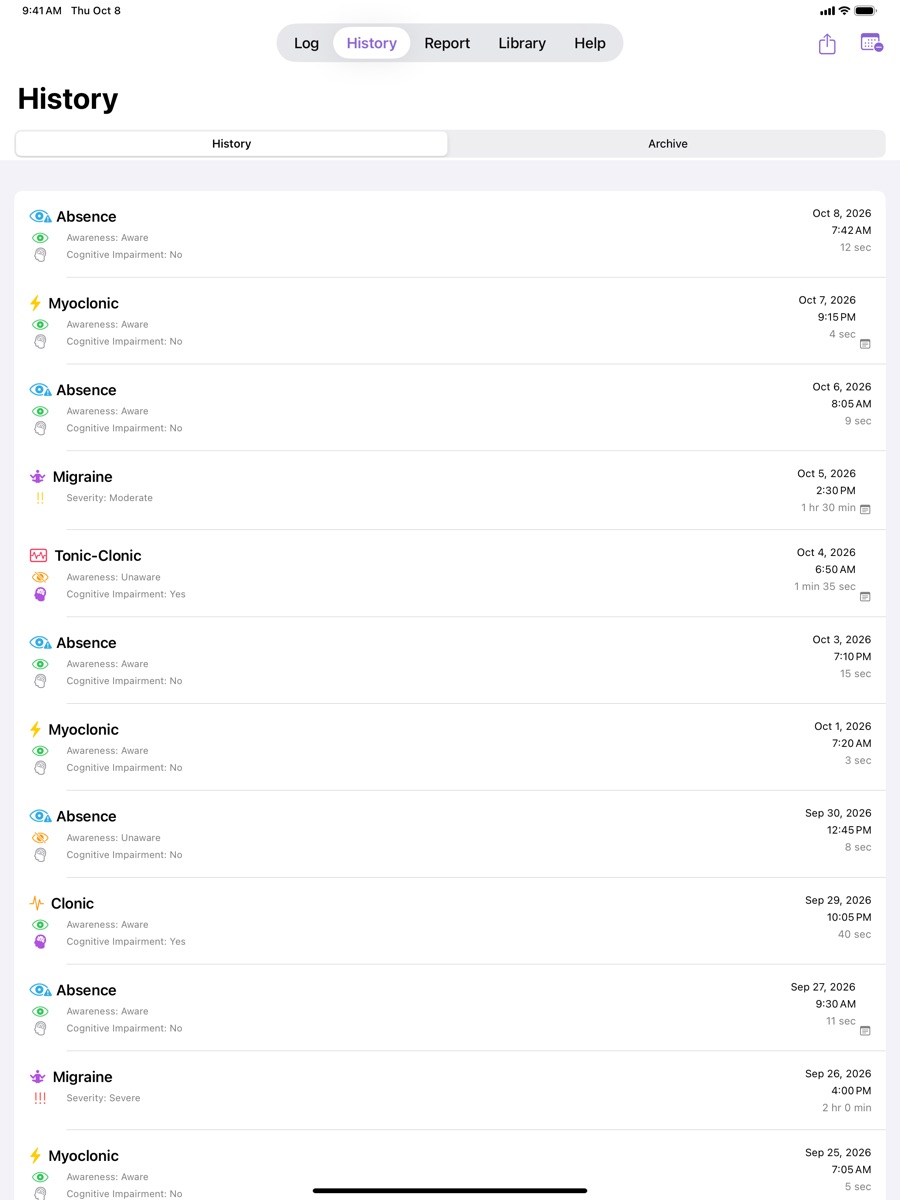
Edit and archive past events, view charts by type and time of day, and export to JSON or CSV.
Apple Health & Calendar
Optionally write events to Apple Health or a calendar you choose. Both are off by default.
Voice & speech notes
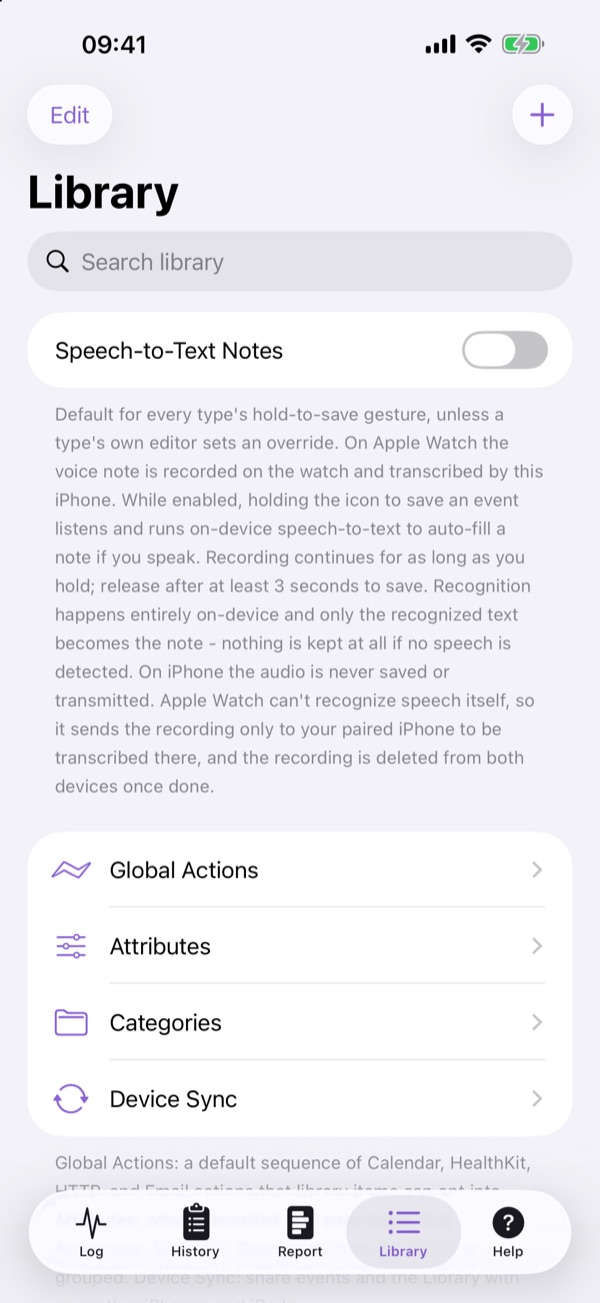
Attach a voice note, or let on-device Speech-to-Text fill in a note while you hold to save.
Private by design
Face ID / Touch ID lock, on-device encryption, an audit log, and no developer servers.
Screenshots
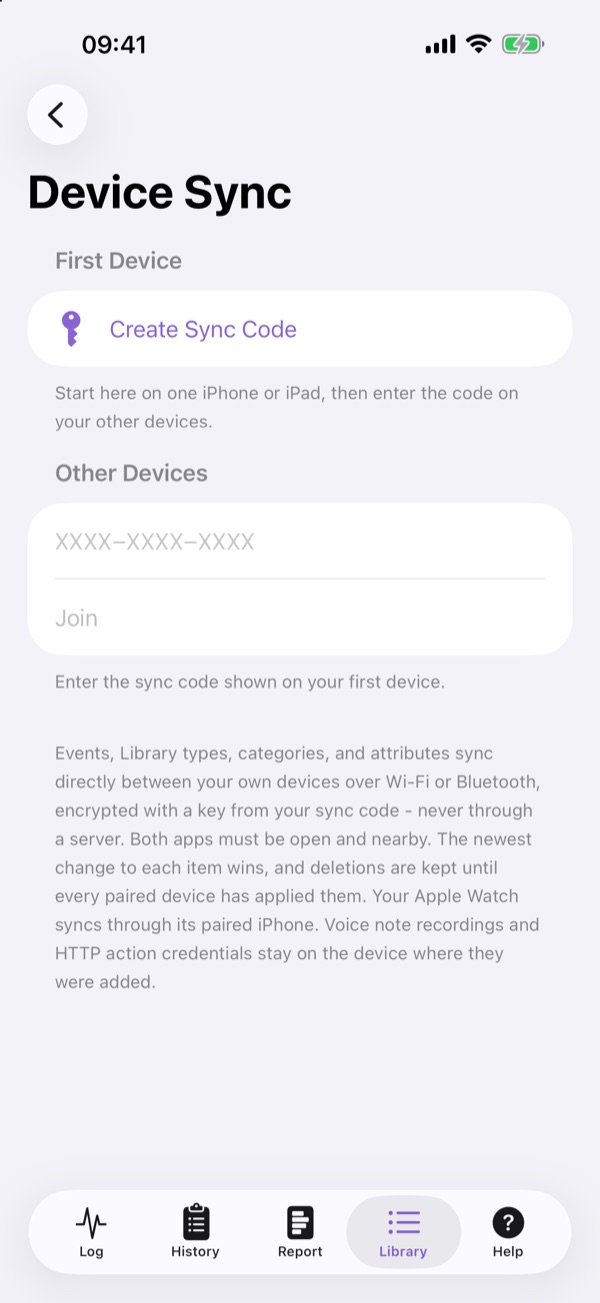
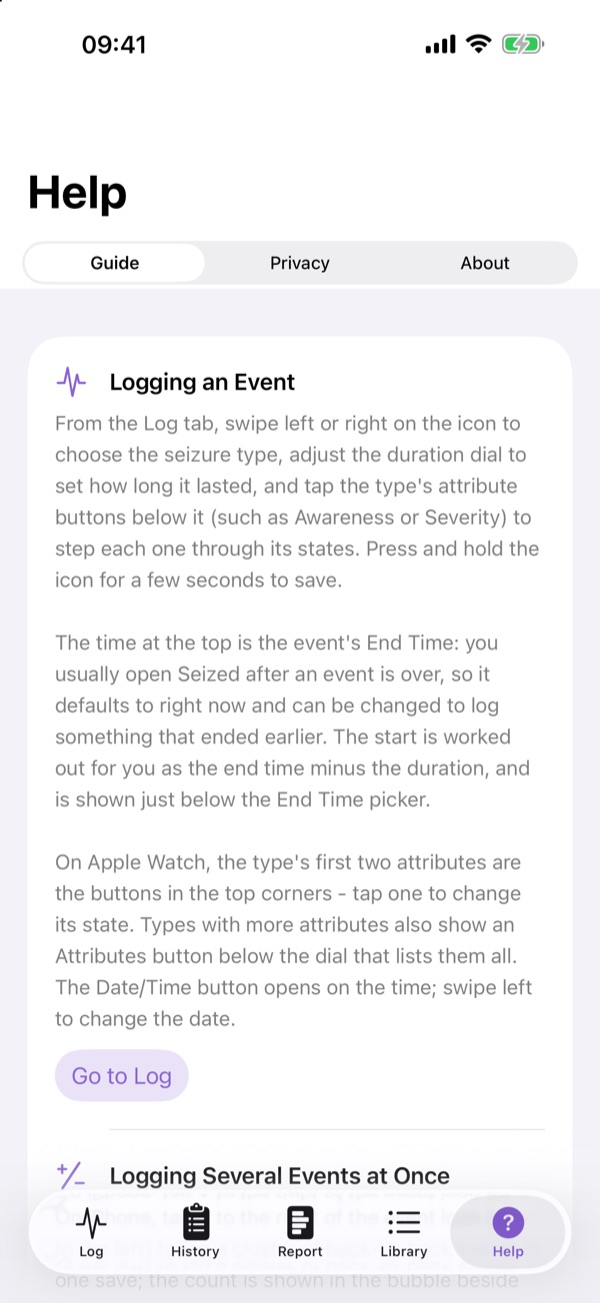
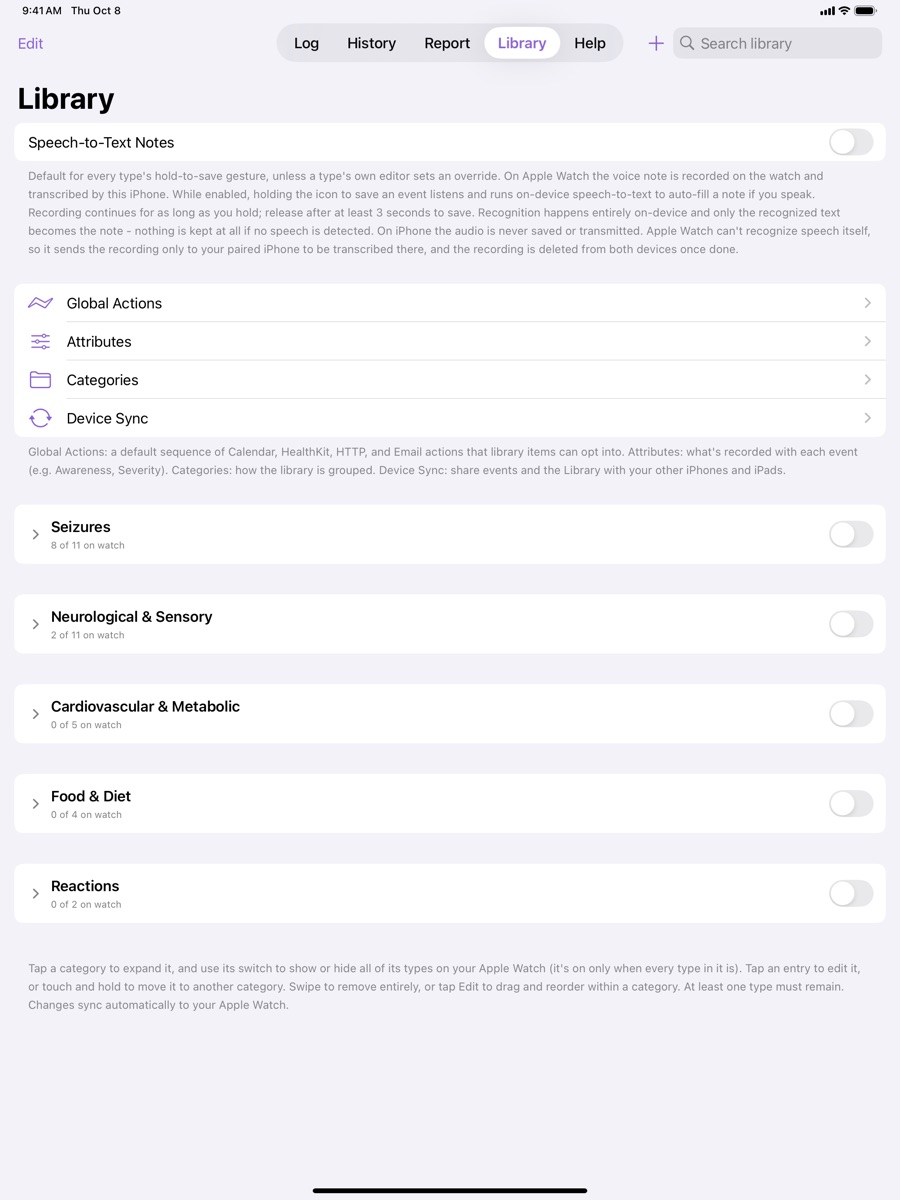
Scroll sideways through each device. Tap a screenshot to see it full size. Shown with sample data.
Apple Watch
iPhone
iPad

Devices & Requirements
Apple Watch
Requires watchOS 10.0 or later. Runs independently of iPhone for logging on the go.
iPhone
Requires iOS 17.0 or later. Full logging, history, reports, library management, and export. Syncs directly with a paired Apple Watch.
iPad
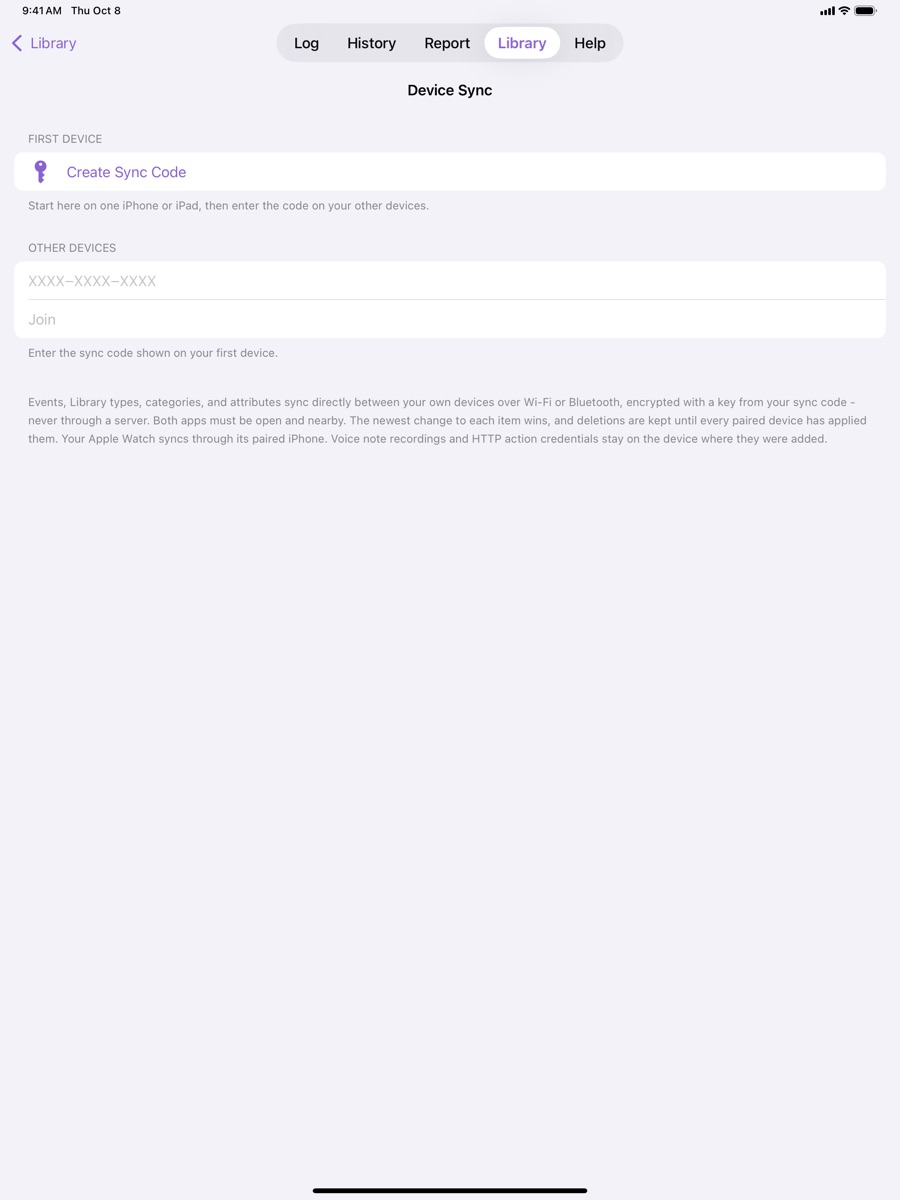
Requires iPadOS 17.0 or later. Native full-screen layout in every orientation on all iPad sizes. Syncs with your iPhone (and through it, your Apple Watch) using Device Sync.
Privacy
Seized has no server, no analytics, no advertising, and no account sign-up. Your log stays on your own devices.
| Data collected by the developer | None. The developer can't see or receive your data. |
|---|---|
| Tracking | None. Seized does not track you across apps or websites. |
| Where your data is stored | On your device, encrypted at rest. Optionally in your own Apple Health data or calendar, only if you turn those on. |
| Device-to-device sync | iPhone and a paired Apple Watch exchange data directly using Apple's WatchConnectivity. Optional Device Sync shares your log between your own iPhones and iPads directly over Wi-Fi or Bluetooth, encrypted with your sync code. Nothing goes through a server. |
| Optional HTTP actions | Only if you create one, event details are sent to the web address you configure, never to the developer. |
| Optional Email actions | Only if you create one, event details are emailed through your own mail account to the recipients you choose, never to the developer. |
Support
Have a question, found a bug, or need help with your data? Email blaine_mcdonnell@yahoo.com. Please include your device model, OS version, and the app version (Help tab > About).
Frequently Asked Questions
Does Seized detect seizures automatically?
No. Seized is a logging tool. It can't sense or detect when a seizure is happening. You or a caregiver record each event.
How do I log an event?
On the Log screen, swipe the icon to pick the type, set the duration, tap any attributes to change them, then press and hold the icon until the ring fills to save.
Does my iPad sync with my iPhone or Apple Watch?
Yes. On each iPhone and iPad open Library > Device Sync: create a sync code on the first device and enter it on the others. Events, Library types, categories, and attributes then sync directly between them, encrypted, over Wi-Fi or Bluetooth whenever the app is open on both and they're nearby. No cloud or account is involved. Your Apple Watch syncs with its paired iPhone, which passes its events on to your iPads. Voice note recordings and HTTP action credentials stay on the device where they were added.
How do I export my history?
Open History or Report and tap the share button to export as JSON or CSV. Exported files aren't encrypted, so keep them somewhere safe.
How do I delete my data?
Swipe an event in History to delete it, use Clear History from the History tab, or use Purge Data (trash icon on the Log screen) to delete a date range. Uninstalling the app removes all of its data from that device. Anything already written to Apple Health can be managed in the Health app.
Apple Health, Calendar, or Speech-to-Text isn't working.
Check that Seized has permission in the Settings app (Health, Calendars, Microphone, or Speech Recognition), and that the matching action or setting is turned on in the app's Library tab.
Is Seized free? Are there subscriptions?
Seized has no subscriptions or in-app purchases.
Medical Disclaimer
Seized is not a medical device. It does not diagnose, treat, cure, or prevent any disease or medical condition, and it does not detect or predict seizures. It's a personal logging tool meant to support conversations with a qualified healthcare provider, not to replace professional medical advice. In an emergency, call your local emergency number right away.
App Information
| Developer | Blaine McDonnell |
|---|---|
| Category | Medical (secondary: Health & Fitness) |
| Compatibility | iPhone (iOS 17+), iPad (iPadOS 17+), Apple Watch (watchOS 10+) |
| Language | English |
| Contact | blaine_mcdonnell@yahoo.com |
| Privacy Policy | privacy.html |
| Terms of Use | Use of the app is governed by Apple's Licensed Application End User License Agreement. |